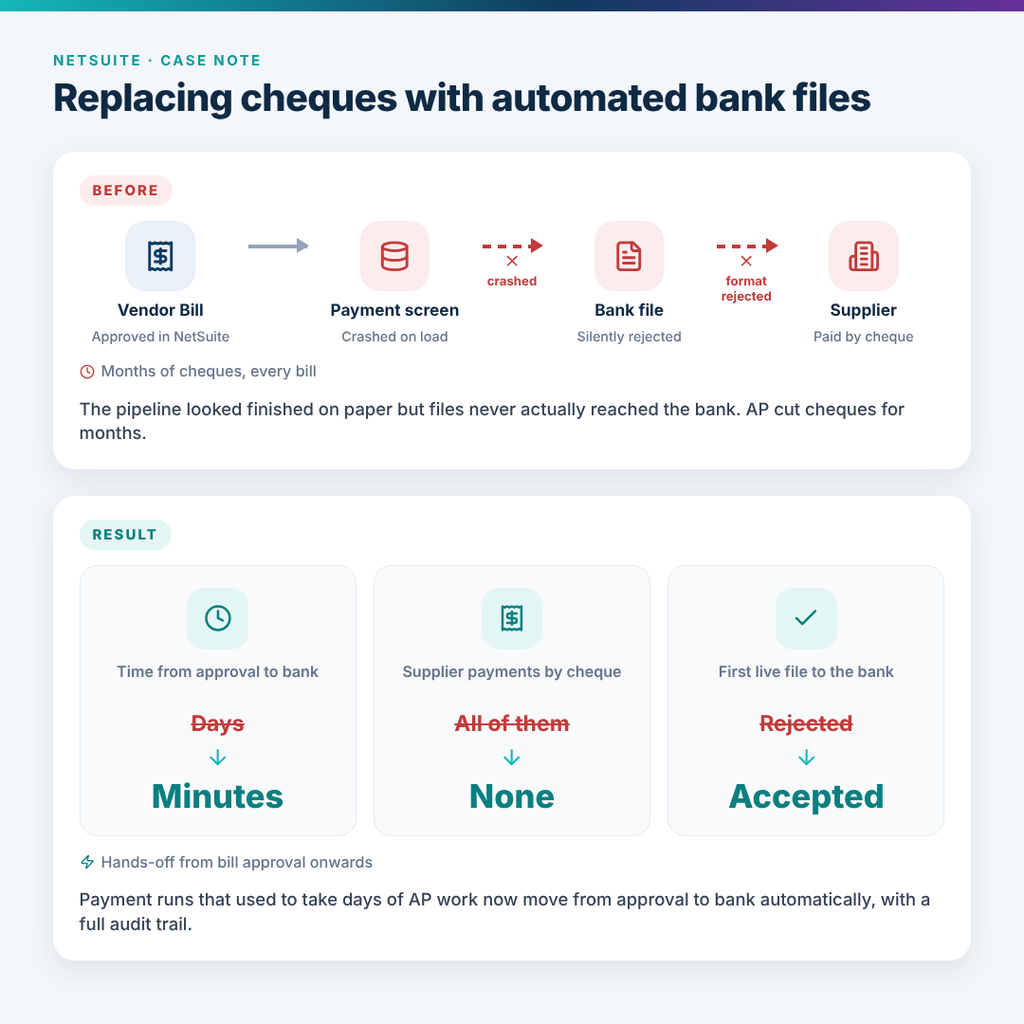
A mid-market distribution group in Canada had NetSuite’s Electronic Bank Payments module switched on, their bank connected, and XML payment files being generated successfully.
On screen, everything looked ready.
But suppliers were still not being paid.
Every week, the finance team was manually cutting cheques while “automated” payment files were uploaded to the bank and quietly went nowhere. The bank’s server accepted the files, but no payments were processed. AP was losing days on work the system was meant to eliminate.
What was really going wrong
This was not one issue. It was four separate failures, each masking the next.
1. Supplier bank details were blank
Every payment was missing the recipient bank information. The cause was a custom payment template that did not correctly rebind the bank object inside the per-payment loop. The standard NetSuite template handles this automatically; the custom template did not. As a result, the fields were pulling from a stale reference and returning empty values.
2. The payment format did not meet the bank’s schema
Two small formatting issues would have caused the bank to reject payments:
- The clearing-member ID was not padded to the required length.
- The originator ID appeared in only one place, while the bank’s XML schema required it in two.
These are the kind of details that can make a file look valid while still preventing a single payment from being released.
3. The payment-selection screen was crashing
The Electronic Bank Payments module was throwing an internal type error before users could properly build a payment batch. The real cause was hidden in the module preferences: required payment email templates had not been configured.
The error gave no useful clue, sending the team in the wrong direction.
4. The bank’s test server treated new uploads as duplicates
Even when a file was newly generated, the test environment could reject it as a duplicate because of filename collisions across upload sessions.
What we changed
We rebuilt the payment template around NetSuite’s actual field-resolution behaviour and the bank’s exact XML requirements.
We also:
- Corrected the clearing-member ID formatting and originator ID placement.
- Added character sanitisation for the bank’s accepted character set.
- Configured the missing Electronic Payments prerequisites so the payment screen could load properly.
- Created a scheduled upload process with bank-compliant file naming.
- Used one environment flag to route test and production files to the correct directories.
- Logged every upload attempt in a dedicated audit record, giving finance a clear history of what was sent, where it went, and whether it succeeded.
- Tested supplier names containing apostrophes, ampersands, accents, and long text before production.
The result
The first production payment file was accepted on the first attempt.
Finance stopped printing cheques. What had taken the AP team days each payment run was reduced to minutes, with a reliable audit trail behind every upload.
The takeaway
A bank integration can look complete while moving zero money.
Successful supplier payments depend on three layers working together:
- Template logic — the right payment data must resolve correctly.
- Bank format compliance — every field, length, and placement must match the specification.
- Transport and operational controls — files must be named, routed, uploaded, and logged correctly.
Until all three work together, an “automated” payment process is only generating files—not paying suppliers.